
To write this TellTheBell guide, we loaded the survey’s start page on October 27, 2026, read SMG’s survey terms and compared several popular Taco Bell survey guides with what the survey really shows.
Taco Bell doesn’t publish this page. It’s an outside explainer, unconnected to Taco Bell Corp. or to SMG, the company behind TellTheBell.com. So your receipt details belong on that site only, and nothing here asks for them.
Go to www.TellTheBell.com
Keep your Taco Bell receipt nearby, then use the button or type the address yourself:
This button lands on TellTheBell.com itself. That’s also where the Taco Bell Customer Satisfaction Survey runs, on SMG (Service Management Group) software.
The short version: TellTheBell.com asks for three things from your receipt, namely the store number, the date and the time of your visit. Then it surveys you about that visit. However, its start page names no prize, links no sweepstakes rules and gives no deadline. So the $500 drawing many guides promise isn’t something we could confirm for 2026, and your receipt is the place to check for any current offer.
Is there still a $500 TellTheBell prize?
We couldn’t confirm one. Guides have long described a $500 TellTheBell sweepstakes, and SurveyMemo’s own guide now says it looks like the sweepstakes isn’t currently active.
On October 27, 2026, the survey’s start page mentioned no prize, no drawing and no rules.
Meanwhile, the start page also says nothing about a coupon or validation code. That’s unlike surveys such as McDVoice, which promise a code on the very first screen. So if your receipt prints an offer, its own wording and any rules it names are what count.
What TellTheBell.com says, and what it doesn’t
| Question | What the start page shows |
|---|---|
| What you enter | Store number, date and time from your receipt |
| Store number format | “Enter all digits, including zeroes”; the box takes up to 7 |
| Time format | Hour 01–12, minute 00–59 and AM or PM |
| Prize or reward | Not mentioned |
| Official rules link | None |
| Deadline | Not stated; the year menu offered 2025 and 2026 |
| Languages | English, with an Español link |
Separately, SMG’s survey terms set 13 as the default minimum age and say a code or link that has already been used to submit responses
can’t complete another survey.
Turn your receipt into TellTheBell’s boxes
The survey wants the time as hour, minute and AM or PM, and it also wants the store number with every zero. Type both exactly as your receipt prints them, and this tool shows what to pick. It runs in your browser, so nothing is sent anywhere.
What you need for TellTheBell.com
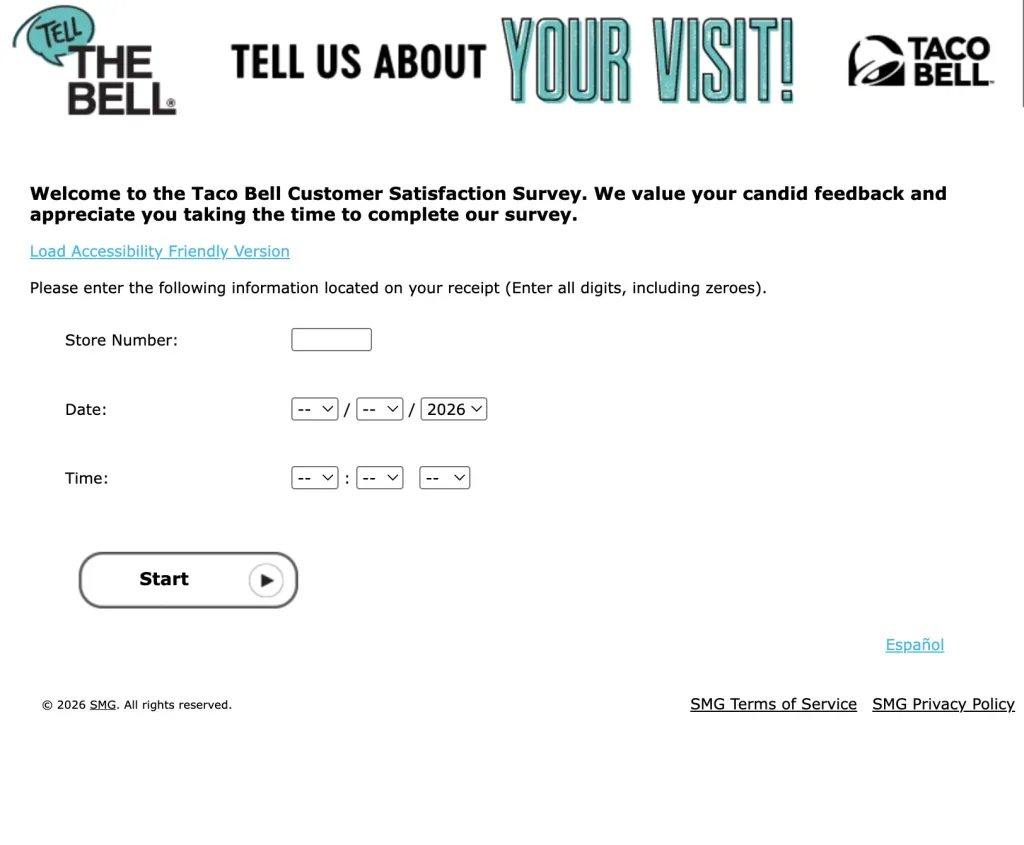
The start page reads Please enter the following information located on your receipt (Enter all digits, including zeroes).
Then come three fields: Store Number, Date and Time.
The store number box carries the hint Input Store number found at the top of your receipt
. Its exact length isn’t published, but the box accepts up to seven characters. Then the date uses month, day and year menus, and the time uses hour, minute and AM or PM menus.
Also, there’s no survey-code box on the start page today. The survey states no deadline either, so take it while the visit is fresh.
Taking the TellTheBell survey, step by step
- First, find the store number at the top of your Taco Bell receipt, plus the date and time of your visit.
- Next, go to www.tellthebell.com, and pick Español or the accessibility-friendly version if you need it.
- Type the store number with every digit, including zeros.
- Then choose the month, day and year, and the hour, minute and AM or PM of your visit.
- After that, answer the questions about your Taco Bell visit.
- Finally, read the last page, and follow any offer or rules it shows.
When TellTheBell won’t let you in
- If the store number is refused, check for dropped zeros, since the page asks for every digit, zeros included.
- When your receipt shows a 24-hour time such as 18:42, pick 06, 42 and PM, because the menu only runs from 01 to 12.
- If you’re looking for a code box, there isn’t one now. Instead, the start page asks only for the store number, date and time.
- When the survey says your visit was already used, SMG’s terms don’t allow a second survey for the same receipt.
- If you can’t find your visit year in the menu, the receipt may be too old, since the menu offered only 2025 and 2026.
What popular TellTheBell guides get wrong
| The guide’s claim | What TellTheBell.com shows |
|---|---|
| “Enter the 16-Digit Survey Code, which is present on the Receipt.” (patronsurveys.com) | There’s no code box, because the start page asks for the store number, date and time |
| “Look for a 16-digit survey code near the bottom.” (tellthebell.surveymemo.com) | Again, the only route in is the store number, date and time |
| “the winners’ names will be displayed on” TellTheBell.com (patronsurveys.com) | However, the site shows no winners list, no prize and no rules link |
| “The min age limit for the Tell, The Bell Com Survey is 18.” (patronsurveys.com) | The survey states no age, and SMG’s terms also set 13 as the default |
Fake TellTheBell sites
The real survey is at TellTheBell.com, with © 2026 SMG
in its footer. Lookalike addresses such as tellthebell.casa, tellthebell.bond and tellthebells.autos turn up in search results, some promising prizes, yet none of them is the survey. This site isn’t Taco Bell either, so type your receipt details only into TellTheBell.com.
Also, the survey never asks for payment. If an email, text or call says you won a TellTheBell prize and must pay a fee, it’s a scam, because the FTC warns that real prizes never cost money.
Is there a mail-in entry for the Taco Bell survey?
Not one we could find. Because we found no current sweepstakes rules, there’s no published mail-in address either, so ignore the old ones some guides still print.
TellTheBell FAQ
Getting into the Taco Bell survey
- Is TellTheBell.com legit?
- Yes. It’s the Taco Bell Customer Satisfaction Survey, run on SMG software, and its footer reads “© 2026 SMG”.
- What do I need for the www.tellthebell.com survey?
- Your receipt’s store number, plus the date and time of your visit. However, the start page has no survey code box.
- Where is the store number on a Taco Bell receipt?
- The survey says it’s at the top of your receipt, so type every digit, including any zeros.
- How do I enter a 24-hour time like 18:42?
- Pick 06 for the hour, 42 for the minute and PM, because the survey’s hour menu runs from 01 to 12.
- Can I take the Taco Bell survey in Spanish?
- Yes. Tap the Español link on the start page, and the survey then switches to Spanish.
- Is there a time limit for the TellTheBell survey?
- The start page doesn’t state one. Its year menu offered only 2025 and 2026, so take the survey soon after your visit.
Prizes and rewards
- Can I still win $500 with TellTheBell?
- We couldn’t confirm it. The start page names no prize and links no rules, and SurveyMemo says the sweepstakes looks inactive.
- Do I get a free item or coupon for the Taco Bell survey?
- The start page doesn’t promise one. If your receipt prints an offer, follow its wording.
- Who can take the TellTheBell survey?
- The survey states no age limit. However, SMG’s survey terms set 13 as the default minimum.
- Can I take the survey twice with one receipt?
- No. SMG’s terms say a code or link that has already been used to submit responses can’t complete another survey.
- Is there a TellTheBell mail-in entry?
- Not that we found. Because there are no current sweepstakes rules we could find, there’s no published mail-in address.
Sources for this Taco Bell survey guide
- Taco Bell Customer Satisfaction Survey at TellTheBell.com, start page
- SMG Survey Terms of Service, last modified July 2024
- FTC consumer advice: Fake Prize, Sweepstakes, and Lottery Scams
We’ll recheck the start page if Taco Bell publishes new sweepstakes rules. Also, any prize your receipt prints, with the rules it names, takes priority over this page.
Does your receipt mention a prize or a deadline we don’t cover? If so, tell us at contact@myreceiptsays.com; our editorial policy sets out how updates happen. More fast-food survey walkthroughs: McDVoice, MyBKExperience and MyZaxbysFeedback.